For Mac

Make the clip. Add the captions.
Give it a voice. Publish.

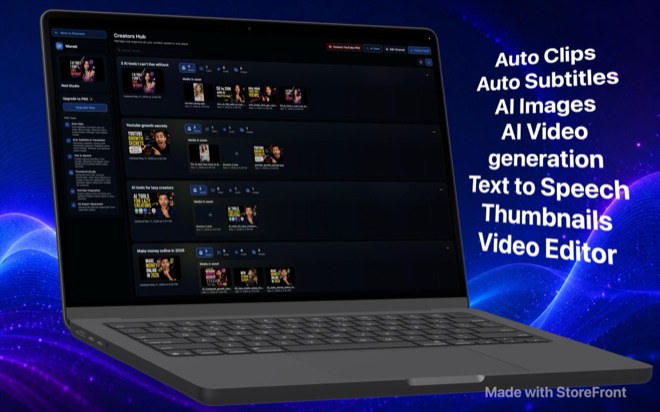
Wonek is a video editor for people who publish every day. Import the long recording, let the AI find the moments, cut them on a real timeline, add subtitles that read well on mute, narrate with a voice model that runs on your Mac, pick a thumbnail that was generated and ranked for you, and upload to your channel without leaving the app.

Free with a watermark. Pro removes it and opens the AI tools. · macOS 26 · Apple silicon recommended

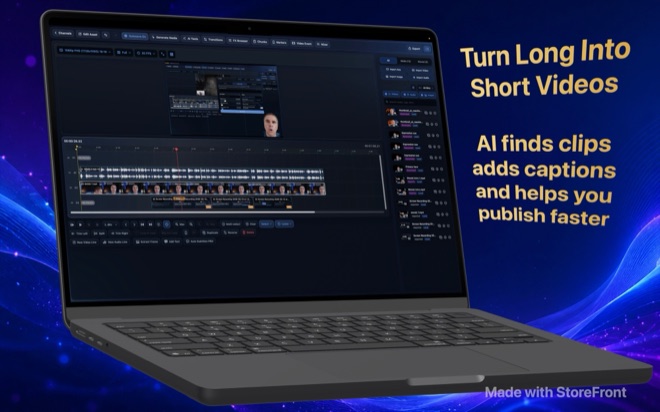
Wonek Video Studio on a MacBook: the multi-track timeline with a talking-head recording, screen recordings and the media bin.
  • A full multi-track timeline, not a template tool
  • Auto Clips find the highlights in long recordings
  • Auto Subtitles with translation, from local Whisper
  • Text to Speech with the Maya1 voice model, on the Mac
  • Thumbnail Studio generates and ranks variants
  • AI video and images with your own LTX, Google and OpenAI keys

What it does

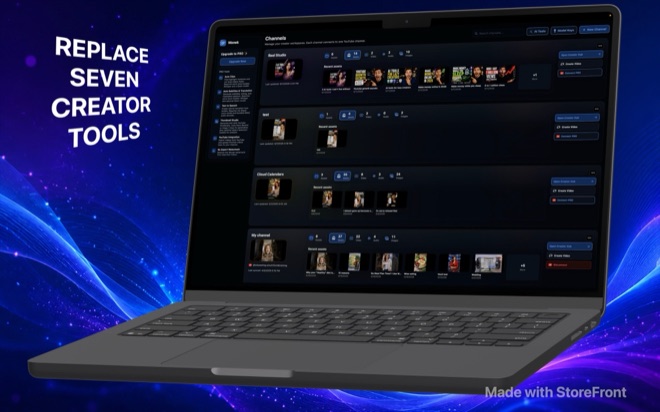
Seven creator tools in one workspace.

Channels hold assets; assets open in the editor; the editor has the AI tools in its toolbar. Exports go to a file or straight to YouTube.

A real editor

A real editor

Video and audio lanes without a fixed count, five edit modes from select to ripple, a trimmer with J-K-L shuttle and three-point edits, markers and regions, snapping, undo history and autosave. Effects at media, event, track and project level: masks, chroma key with spill suppression, stabilisation, transitions, pan and crop, auto-reframe. Noise removal from a bundled DeepFilterNet model. Proxies for heavy footage.

  • Multi-track timeline with ripple, roll, slip and slide
  • Masks, chroma key, stabilisation, transitions, reframe
  • Noise cancellation on the Mac
  • Proxy media for big files
Auto Clips and Auto Subtitles

Auto Clips and Auto Subtitles

Auto Clips transcribes a long recording with Whisper on your Mac and asks a local language model where the highlights are, then cuts them for you to review. Auto Subtitles produce timed captions in the styles you set, with a gradient library, and translate them into other languages with the same local model. Nothing in either step leaves the machine.

  • Whisper transcription, local
  • Highlight detection with a local Qwen or Gemma model
  • Styled, timed, translated captions
  • Pro
Text to Speech that stays on the Mac

Text to Speech that stays on the Mac

The Voice Studio runs Maya1, an open voice model, locally: pick a built-in voice or describe one, direct accent and delivery in words, and narrate a script segment by segment with word timings, pauses and emotion cues you can edit. Pair images with narration and the Slideshow Studio renders the video.

  • Maya1 voice model, downloaded once, run locally
  • Prompt-described voices and saved presets
  • Per-segment timing, pauses, emotion
  • Slideshow Studio from images plus narration
  • Pro
Thumbnail Studio

Thumbnail Studio

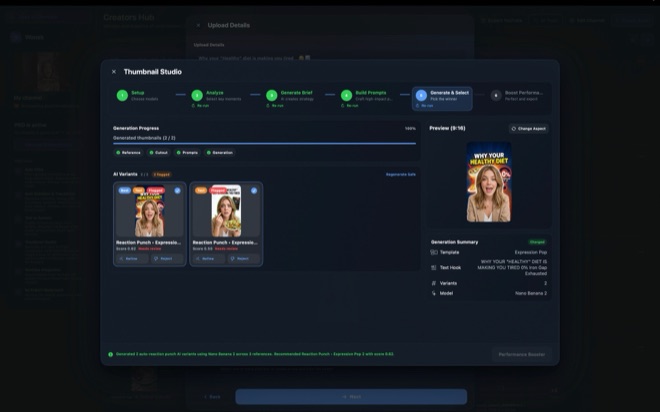
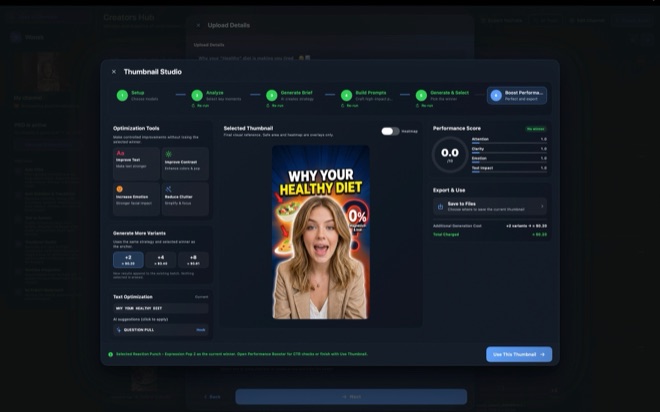
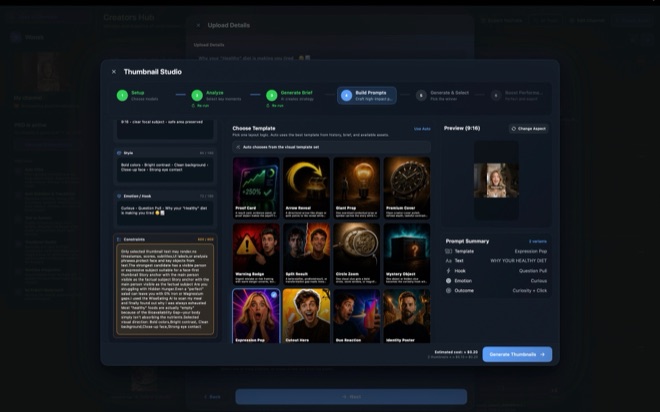
Six steps from analysis to export: the studio reads your video and brief, picks key moments, writes a strategy, builds prompts from one of thirty-nine layout templates, generates variants with an image model and ranks them, then offers controlled improvements: stronger text, more contrast, more emotion, less clutter. A performance score keeps you honest before you upload.

  • Thirty-nine layout templates
  • Generated and ranked variants
  • Controlled refinements
  • Pro
AI video and images, with your keys

AI video and images, with your keys

Text to video, image to video, audio to video, retakes, reference images, first and last frame, extend: through LTX, or Google Veo 3.1, at up to 4K and 50 frames per second. Images from Google or OpenAI models. You enter your own API keys under File → Model Keys, and the app shows the estimated provider cost of every generation before you run it. Wonek does not resell credits.

  • LTX and Veo 3.1 video, up to 4K
  • Google and OpenAI image models
  • Your own API keys, your own provider bills
  • Cost estimate before every run
Publish from the timeline

Publish from the timeline

Export to MP4, M4V or MOV in H.264, HEVC or ProRes, in any canvas from 360p to 2160p and any of five aspect ratios. With Pro, connect a YouTube channel, import videos from it, and upload the finished cut with title, description, tags, thumbnail, schedule and the altered-content disclosure.

  • H.264, HEVC, ProRes
  • 16:9, 9:16, 4:3, 3:4, 16:10
  • YouTube import and upload with Pro
  • Publishing calendar

Who it is for

For people whose channel is a job.

Short-form creators
One long recording a week, seven clips out of it, captions on every one. Auto Clips and Auto Subtitles are the week.
Educators and podcasters
The hour-long episode becomes the highlights, the transcript, the translated captions and the thumbnail, from one import.
Marketers and agencies
Product videos, UGC-style ad scripts from a store link, bulk generation, and a channel per client in the workspace.
Not for
Anyone expecting the app to pay for AI generation. It runs on your own provider keys; Pro pays for the tools, not the tokens.

What it costs

Free to edit. Pro for the AI tools and a clean export.

The free app has the full editor and AI generation with your own keys, and puts a moving Wonek watermark on video exports. Pro removes the watermark and opens Auto Clips, Auto Subtitles and translation, Text to Speech, Slideshow Studio, Bulk Video, Thumbnail Studio and YouTube import and upload. Monthly starts with a free week; yearly is two months off.

Free

$0 no account

  • The full timeline editor
  • Effects, masks, stabilisation, transitions
  • AI video and images with your own keys
  • Local model downloads
  • Export to MP4, M4V, MOV

Watermark on video exports.

Pro

$11.99 per month

$79.99 a year, two months free

  • No watermark
  • Auto Clips
  • Auto Subtitles and translation
  • Text to Speech and Slideshow Studio
  • Bulk Video
  • Thumbnail Studio
  • YouTube import and upload
  • Everything in Free

The first week is free. Cancel anytime in your Apple account.

Pro changes the tools, not the generation: AI video and images always run on your own provider keys, free or Pro.

Pricing →

Questions

Asked often enough to write down.

Do I need API keys?

For AI video and image generation, yes: your own LTX, Google or OpenAI keys, entered under File → Model Keys. Everything else, the editor, transcription, subtitles, voiceover and highlight detection, runs on your Mac with downloaded models and needs no key.

What runs locally?

Whisper for transcription, Qwen and Gemma for highlight detection, translation and briefs, Maya1 for voice, DeepFilterNet for noise, and the whole editor and renderer. The models are multi-gigabyte downloads from Hugging Face and want an Apple silicon Mac.

What does the watermark look like?

A translucent "Wonek Video Studio" that drifts between corners of video exports in the free app. Audio-only exports are never watermarked. Pro removes it.

Is there a free trial?

The monthly Pro plan starts with a free week. Cancel before it ends and nothing is charged.

Does it upload my footage anywhere?

Only where you send it: to LTX, Google or OpenAI when you generate with them, and to YouTube when you publish. The app has no account, no analytics and no tracking. Trend data is cached on our storage; your media is not.

Does it work on iPhone or iPad?

Wonek Video Studio is a Mac app. Its tools run helper processes and local models that need macOS.

Is Wonek a different company?

Wonek is the product name. The app is published by Arte Soft EOOD, and support is at office@arte-soft.com.

The long recording is the raw material.

Free on the Mac App Store. Import one, run Auto Clips, and see what a week of content looks like.

Download on theApp Store