What it does

Features

The full list, each with what it is for.

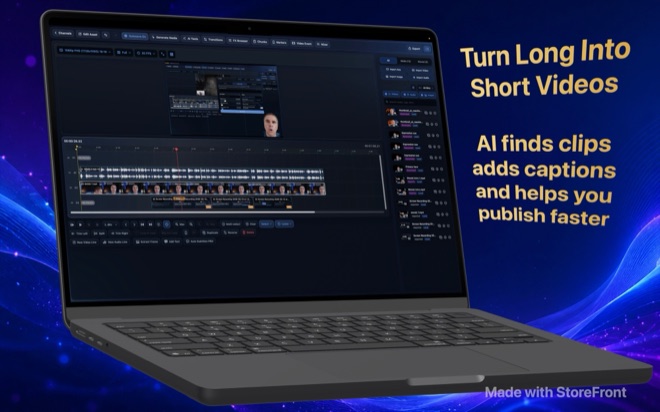
A real editor

A real editor

Video and audio lanes without a fixed count, five edit modes from select to ripple, a trimmer with J-K-L shuttle and three-point edits, markers and regions, snapping, undo history and autosave. Effects at media, event, track and project level: masks, chroma key with spill suppression, stabilisation, transitions, pan and crop, auto-reframe. Noise removal from a bundled DeepFilterNet model. Proxies for heavy footage.

  • Multi-track timeline with ripple, roll, slip and slide
  • Masks, chroma key, stabilisation, transitions, reframe
  • Noise cancellation on the Mac
  • Proxy media for big files
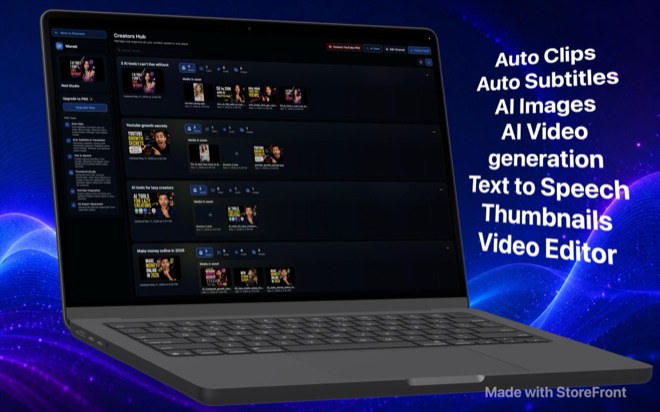
Auto Clips and Auto Subtitles

Auto Clips and Auto Subtitles

Auto Clips transcribes a long recording with Whisper on your Mac and asks a local language model where the highlights are, then cuts them for you to review. Auto Subtitles produce timed captions in the styles you set, with a gradient library, and translate them into other languages with the same local model. Nothing in either step leaves the machine.

  • Whisper transcription, local
  • Highlight detection with a local Qwen or Gemma model
  • Styled, timed, translated captions
  • Pro
Text to Speech that stays on the Mac

Text to Speech that stays on the Mac

The Voice Studio runs Maya1, an open voice model, locally: pick a built-in voice or describe one, direct accent and delivery in words, and narrate a script segment by segment with word timings, pauses and emotion cues you can edit. Pair images with narration and the Slideshow Studio renders the video.

  • Maya1 voice model, downloaded once, run locally
  • Prompt-described voices and saved presets
  • Per-segment timing, pauses, emotion
  • Slideshow Studio from images plus narration
  • Pro
Thumbnail Studio

Thumbnail Studio

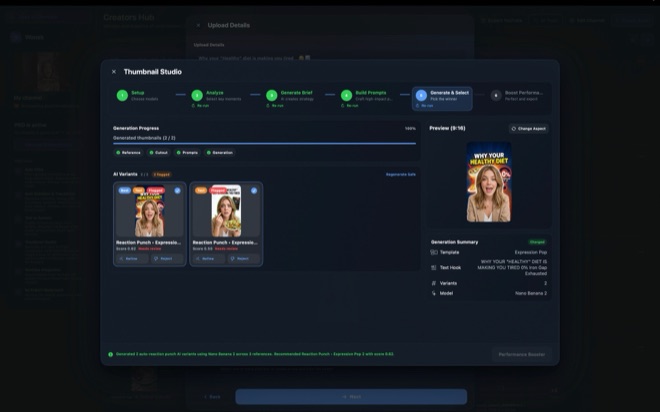
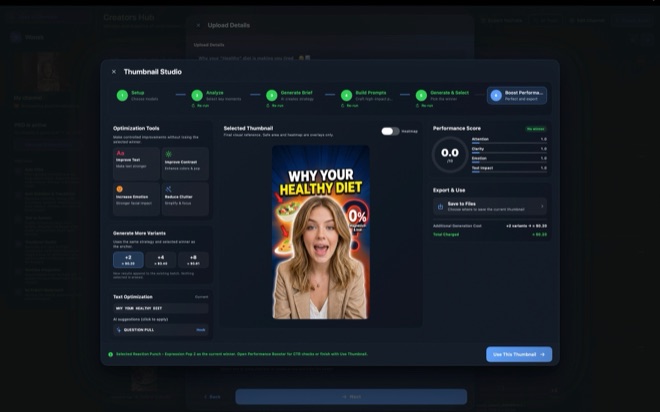
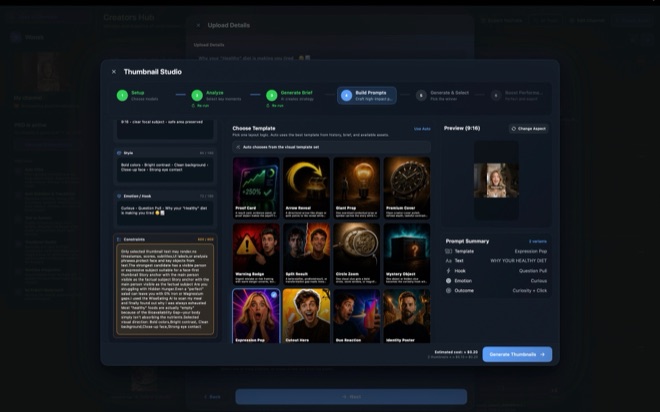
Six steps from analysis to export: the studio reads your video and brief, picks key moments, writes a strategy, builds prompts from one of thirty-nine layout templates, generates variants with an image model and ranks them, then offers controlled improvements: stronger text, more contrast, more emotion, less clutter. A performance score keeps you honest before you upload.

  • Thirty-nine layout templates
  • Generated and ranked variants
  • Controlled refinements
  • Pro
AI video and images, with your keys

AI video and images, with your keys

Text to video, image to video, audio to video, retakes, reference images, first and last frame, extend: through LTX, or Google Veo 3.1, at up to 4K and 50 frames per second. Images from Google or OpenAI models. You enter your own API keys under File → Model Keys, and the app shows the estimated provider cost of every generation before you run it. Wonek does not resell credits.

  • LTX and Veo 3.1 video, up to 4K
  • Google and OpenAI image models
  • Your own API keys, your own provider bills
  • Cost estimate before every run
Publish from the timeline

Publish from the timeline

Export to MP4, M4V or MOV in H.264, HEVC or ProRes, in any canvas from 360p to 2160p and any of five aspect ratios. With Pro, connect a YouTube channel, import videos from it, and upload the finished cut with title, description, tags, thumbnail, schedule and the altered-content disclosure.

  • H.264, HEVC, ProRes
  • 16:9, 9:16, 4:3, 3:4, 16:10
  • YouTube import and upload with Pro
  • Publishing calendar