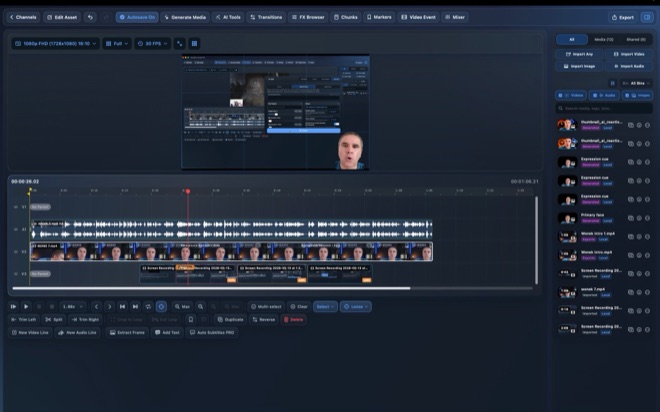
Offline Whisper Subtitles and Translation on Mac
Viewers scrolling on mute decide within two seconds whether your captions are effortless to read or cluttered over the speaker’s face. Wonek Video Studio’s Auto Subtitles uses local Whisper on your Mac to build word-accurate timed captions, applies reusable typography and gradient styles, and translates subtitle tracks into additional languages with on-device Qwen or Gemma models.
Why local Whisper beats re-uploading drafts for captions
Web-based caption generators force you to render an intermediate MP4, upload it, fix typos in a browser tab, and burn captions into an already compressed video file. Keeping Auto Subtitles inside your Mac timeline preserves first-generation image quality and lets you revise a cut without breaking subtitle sync.
Because Whisper runs directly on your Mac hardware as part of Wonek Pro, generating captions costs zero per-minute transcription credits. You download the model once from Hugging Face, and subsequent episodes transcribe completely offline—even on a flight or with confidential footage.
Generate, proofread, and time readable caption blocks
Automatic speech recognition handles everyday vocabulary well, but technical product names, acronyms, and proper nouns always deserve a fast human pass. Proofreading takes minutes when captions live beside your audio waveform.
Structure your caption pass around reading comfort rather than cramming full paragraphs onto a vertical frame.
- Finish your picture lock or highlight trim on the timeline, then launch Auto Subtitles from the editor toolbar to run local Whisper.
- Scan the generated lines for proper nouns, brand spellings, and numbers, correcting any misheard terms directly in the subtitle list.
- Break long sentences at natural grammatical pauses—before conjunctions or prepositions—so each on-screen block stays to one or two short lines.
- Play the timeline with audio muted to verify every caption stays visible long enough to read without rushing.
Style gradients and safe zones for 9:16 and 16:9 frames
Burned-in captions fail when bright background footage washes out white lettering or when social platform buttons cover the bottom fifth of a 9:16 video. Wonek includes customisable caption presets and a built-in gradient library so lettering maintains crisp contrast across bright window light and dark B-roll alike.
Position vertical captions in the lower-middle third—above platform description overlays yet below the speaker’s chin. Save that layout to your workspace channel so every short from the series shares consistent font weight, stroke contrast, and vertical placement.
- Use high-contrast strokes or subtle backing gradients rather than neon text fills that fatigue the eye.
- Keep 9:16 captions clear of the right-hand icon rail and bottom caption drawer used by Shorts, Reels, and TikTok.
- Test the brightest and darkest frames of your timeline before rendering the final master.
Translate timed captions locally with Qwen or Gemma
Reaching viewers in Spanish, German, French, or Portuguese does not require re-transcribing from scratch. Once your primary language track is proofread and timed, Auto Subtitles can translate those timed blocks into other languages on your Mac using a local Qwen or Gemma language model.
Translated sentences in Romance or Germanic languages often run 15 to 25 percent longer than English originals. After running local translation, preview the longest lines on your canvas and slightly widen segment durations or split dense clauses so translated text never overflows safe margins.
Do offline Whisper subtitles and translations require internet access?
You only need internet once to download the Whisper and Qwen or Gemma models from Hugging Face. After installation, transcription and subtitle translation run entirely offline on your Mac.
Are Auto Subtitles included in the free version of Wonek Video Studio?
Auto Subtitles and multi-language translation are Pro features ($11.99/month starting with a free week, or $79.99/year). The free tier includes the full timeline editor and manual editing tools with a watermark on video exports.
Why should I correct the original transcript before translating captions?
Local translation models translate the text in your primary subtitle track, not the raw audio. Fixing a misspelled product name or negation once in the source track prevents that error from multiplying across every translated export.