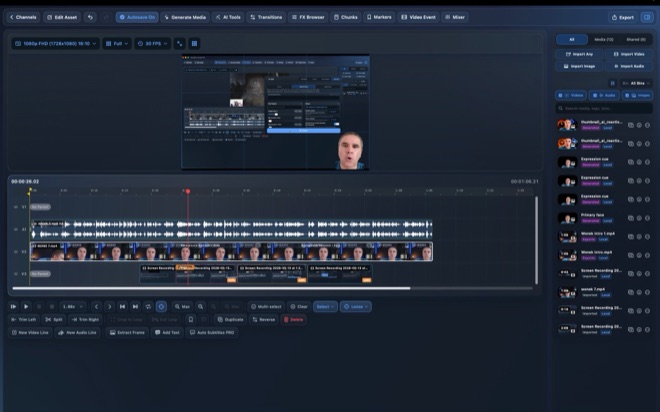
Upload and Schedule YouTube Videos from Your Mac
Exporting a video to your Desktop, hunting for the right thumbnail PNG in Finder, and filling out metadata across browser tabs invites last-minute upload mistakes. With Wonek Video Studio Pro on Mac, you can connect your YouTube channel, import existing channel videos for repurposing, and upload finished cuts complete with titles, tags, thumbnails, release schedules, and altered-content disclosures.
Connect a YouTube channel safely and import past episodes
Wonek Pro connects to your channel through standard Google sign-in with YouTube permissions, storing OAuth tokens locally on your Mac rather than on an Arte Soft server. You can disconnect channel access inside the app at any time, and creators managing multiple shows can pair workspace channels cleanly with their publishing routine.
Once connected, publishing goes both ways: besides uploading new cuts, you can import existing videos from your YouTube library straight into a Wonek channel to cut fresh 9:16 Shorts via Auto Clips or translate captions with Auto Subtitles.
Complete metadata, thumbnails, and scheduling in one pass
Rushing metadata in the final sixty seconds before going live leads to broken links, missing timestamps, and mismatched thumbnails. Preparing every field alongside your timeline and publishing calendar keeps weekly cadence predictable.
Follow a four-step publish sequence from timeline lock to scheduled release.
- Verify your final cut on the timeline and attach the winning cover image exported from Thumbnail Studio (for 16:9 videos).
- Write a clear, search-aware title that pairs with your thumbnail text rather than repeating the exact same four words.
- Fill in your description—placing primary context and links in the first two lines—add relevant topic tags, and set the altered-content disclosure accurately.
- Pick a release slot on the publishing calendar so YouTube finishes processing HD and 4K streams well before subscribers receive notifications.
When to check the altered or synthetic content disclosure
Because Wonek combines traditional camera editing with local Maya1 voice synthesis and optional LTX or Veo 3.1 AI B-roll, creators need a clear habit around YouTube’s synthetic media rules. Wonek places the altered-content disclosure directly inside the upload form so you do not have to dig through YouTube Studio’s advanced settings later.
Distinguish routine post-production from meaningful synthetic alteration before submitting.
- Typically disclosed: realistic AI-generated scenes depicting real-looking events or places, synthetic voices sounding like a realistic human narrator where viewers could mistake it for a live recording, or meaningfully altered likenesses.
- Typically not required by YouTube: standard colour correction, DeepFilterNet background noise removal, Whisper captioning, ripple trims, or clearly stylized animations.
- Always verify current YouTube Help policy pages for edge cases, and never use synthetic tools to impersonate real individuals.
Why scheduling ahead beats publishing "Public" immediately
Uploading a 4K HEVC video directly to Public means early viewers often watch a low-resolution SD stream while YouTube’s servers are still transcoding 2160p and running copyright/audio checks. Scheduling uploads even two hours—or two days—ahead via Wonek’s publishing calendar gives high-resolution streams time to settle and lets you double-check playback on a phone before launch.
Remember that Wonek Video Studio is a production and upload tool, not an engagement shortcut: it has no analytics tracking and guarantees no views or revenue. Consistent schedules, clear audio, honest packaging, and tight timeline cuts remain what keep viewers watching after they click.
Where are my YouTube login tokens stored when I connect Wonek?
Authentication tokens from Google sign-in are stored locally on your Mac and used only for listing, importing, and uploading videos on your behalf. You can disconnect your channel inside the app whenever you choose.
Can I import my old YouTube long-form videos to make Shorts?
Yes. With Wonek Pro, you can import videos from a connected YouTube channel into your Mac workspace, run Auto Clips and Auto Subtitles locally, reframe to 9:16, and upload the new Shorts.
Does uploading through Wonek guarantee YouTube views or monetisation?
No. Direct upload streamlines workflow and metadata entry under YouTube’s Terms of Service; audience reach, retention, and monetisation eligibility depend entirely on your content and YouTube’s policies.