Generate 4K AI B-Roll on Mac with LTX and Veo 3.1
Subscription AI video web apps bundle opaque monthly "credits" that expire unused or mark up underlying model APIs heavily. Wonek Video Studio lets you connect your own LTX, Google Veo 3.1, and OpenAI API keys on your Mac—even in the free tier—displaying the estimated provider cost before every generation and placing 4K clips straight into your workspace.
How bring-your-own-key (BYOK) keeps B-roll costs predictable
When you enter your provider credentials under File → Model Keys, Wonek stores those keys locally on your Mac and sends generation requests directly to LTX, Google, or OpenAI. Arte Soft does not sit in the middle reselling token bundles, which means you pay exact provider API rates on your own developer billing account.
Before a single frame renders, Wonek calculates and displays the estimated cost of that run based on model, resolution, duration, and frame rate. Drafting rough motion tests at lower settings before committing to a 4K 50fps hero shot keeps experimental B-roll budgets disciplined.
- Available in both the Free and Pro tiers of Wonek Video Studio (free timeline video exports carry a watermark; Pro removes it).
- Supports LTX and Google Veo 3.1 for video at up to 4K resolution and 50 frames per second, plus Google and OpenAI models for still images.
- Keys stay on your Mac and are used solely for requests you initiate.
Choose the right generation mode for timeline continuity
Pure text-to-video prompts often drift in colour palette or lens focal length from your main camera footage. Matching generated B-roll to an existing edit is much easier when you anchor the model with visual or audio references.
Wonek exposes seven generation workflows so you can constrain motion rather than hoping a text prompt guesses your scene.
- Image to video & reference images: generate a clean still with Google or OpenAI image models first, approve the lighting and framing, then animate that exact frame.
- First and last frame control: lock both where the camera starts and where it settles for seamless match cuts between talking-head segments.
- Audio to video, retakes, and extend: drive visual rhythm from audio, redo a flawed two-second section via retakes, or extend a strong shot that stops half a beat short.
Configure Model Keys and cut generated B-roll into your edit
Treat AI video clips like stock or tabletop B-roll: three- to five-second visual metaphors and environment cutaways hold viewer attention far better than lingering ten-second synthetic wide shots.
Use a two-pass workflow from still concept to timeline cut.
- Open File → Model Keys in Wonek Video Studio and paste your LTX, Google, or OpenAI API keys from your provider console.
- Generate or select a reference image matching your project’s aspect ratio (16:9 landscape or 9:16 vertical) to lock lighting and subject style cheaply.
- Open the video generator, select LTX or Google Veo 3.1, review the upfront cost estimate, and render your motion clip at the frame rate matching your sequence (up to 4K and 50fps).
- Place the clip on an upper video track above your spoken spine and use slip edits to align peak motion with the exact spoken keyword.
Review artefacts and platform disclosure rules
Always inspect generated footage at 100 percent zoom on your Mac monitor before final export, checking hands, background signage, fine textures, and frame edges during transitions. Trim away the final dozen frames if motion begins to morph.
Remember that prompts and source frames sent to LTX, Google, or OpenAI are processed under each provider’s own terms, and realistic synthetic scenes may require YouTube’s altered-content disclosure when you publish.
Does Wonek Pro include free LTX, Veo 3.1, or OpenAI generation credits?
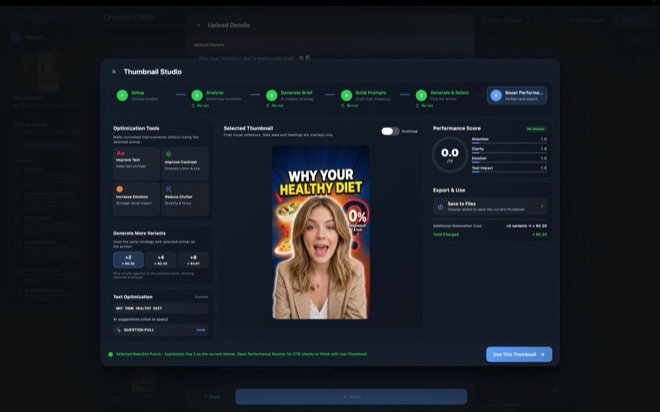
No. Pro unlocks local AI workflow tools (Auto Clips, Auto Subtitles, Maya1 TTS, Thumbnail Studio, YouTube upload) and removes the export watermark, while cloud video and image generation always uses your own provider API keys in both Free and Pro.
How can I lower API bills when testing prompts?
Prototype composition with a still image model or a short, lower-resolution video test while watching the in-app cost estimate, then switch to 4K or Veo 3.1 only for the final approved shot.
Are my API keys uploaded to Arte Soft servers?
No. Keys entered in File → Model Keys are stored locally on your Mac and sent only to the provider whose model you run.